 Prompto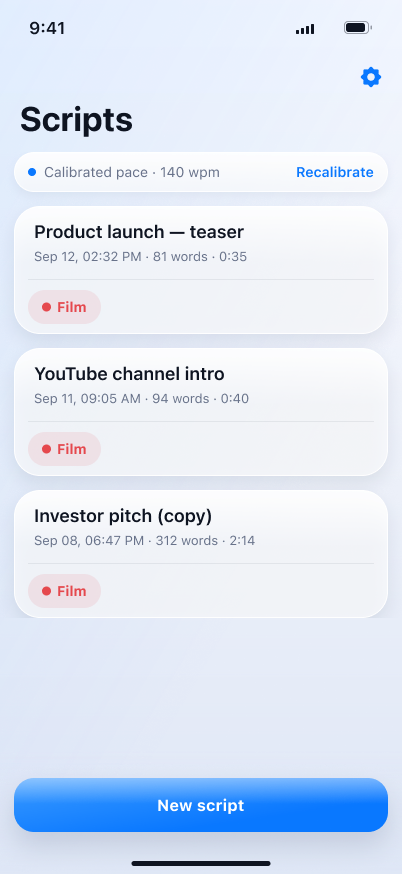
1
Keep your scripts together
Every script shows its word count and how long it will take you to say it out loud. Swipe to duplicate or delete.
Paste your script and Prompto moves it at the speed you actually speak — measured from your own voice, not guessed. Film in one take, without ever hunting for your next line.
Free to start · Your scripts never leave your phone
No setup, no account, nothing to learn. You are recording within a minute of opening the app.
Every script shows its word count and how long it will take you to say it out loud. Swipe to duplicate or delete.
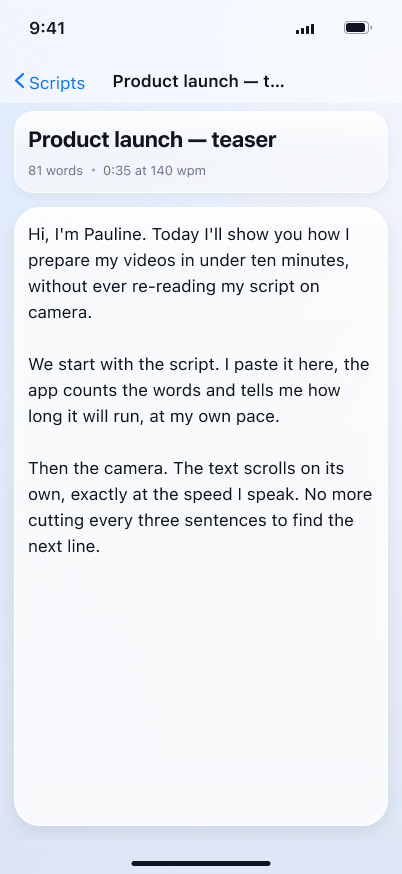
Write or paste your text. An empty line separates two paragraphs — and paragraphs are what you jump between while filming.
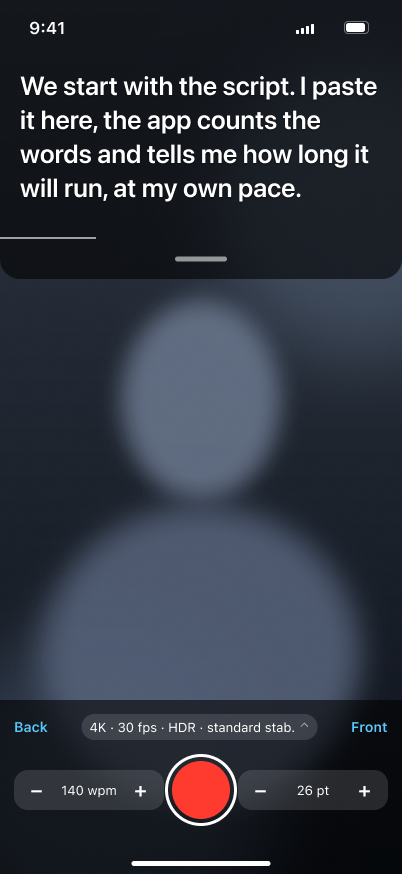
The text sits just under the front camera. Tap to pause, swipe to change paragraph, pinch to resize. The video lands in your camera roll.
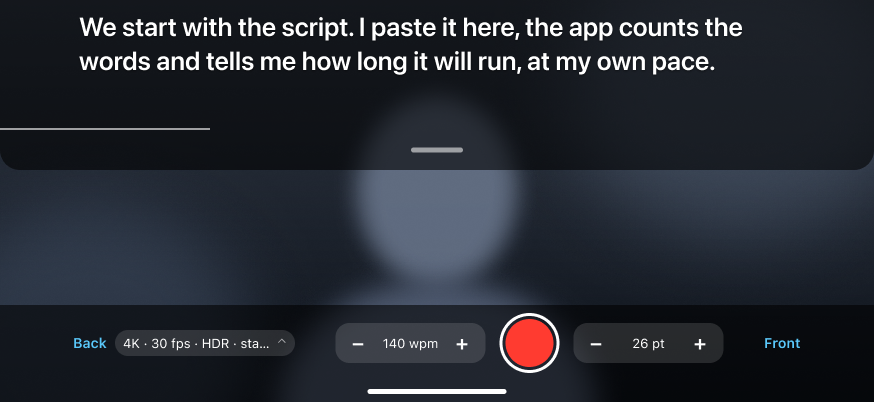
Landscape rearranges itself: the band spans the long edge, the controls fold into a single row, and the video is framed horizontally — ready for YouTube without a crop.
The free version is a real teleprompter, not a demo. Pro lifts the limits when you film often enough to need it.
No account. No trial to cancel.
Also €4.99 monthly, or €59.99 once for lifetime access.
No. They are stored on your phone and never leave it. There is no account, no server, no online backup on our side. You can export them yourself from Settings → My scripts → Export.
You read one 60-word paragraph out loud, once. Prompto times you and uses that as your pace from then on. You can redo it whenever your delivery changes — a calm explainer and a punchy promo are not the same speed.
Straight to your iPhone's camera roll, exactly as if you had filmed with the Camera app. Prompto does not keep them and does not read them afterwards.
The take stops and everything filmed up to that point is saved to your camera roll. You are told why it stopped, and offered to retake.
From your Apple Account settings: iOS Settings → your name → Subscriptions → Prompto → Cancel. Cancellation must happen at least 24 hours before the end of the current period. The subscription stays active until that date.
Settings → Prompto Pro → Restore purchases, using the same Apple Account you bought with. Your scripts do not follow automatically: export them from the old phone and import the file on the new one.
Purchases go through Apple, so Apple issues refunds: reportaproblem.apple.com. Write to us anyway — we want to understand what went wrong.
Delete the app: everything it holds goes with it, scripts included. For data tied to your purchase, write to us with your support identifier.
Write to us and we reply within a few working days. If your question is about your subscription, include your support identifier — in the app, Settings → About → Support identifier. One tap copies it. Without it we cannot find your purchase, because Prompto has no accounts.